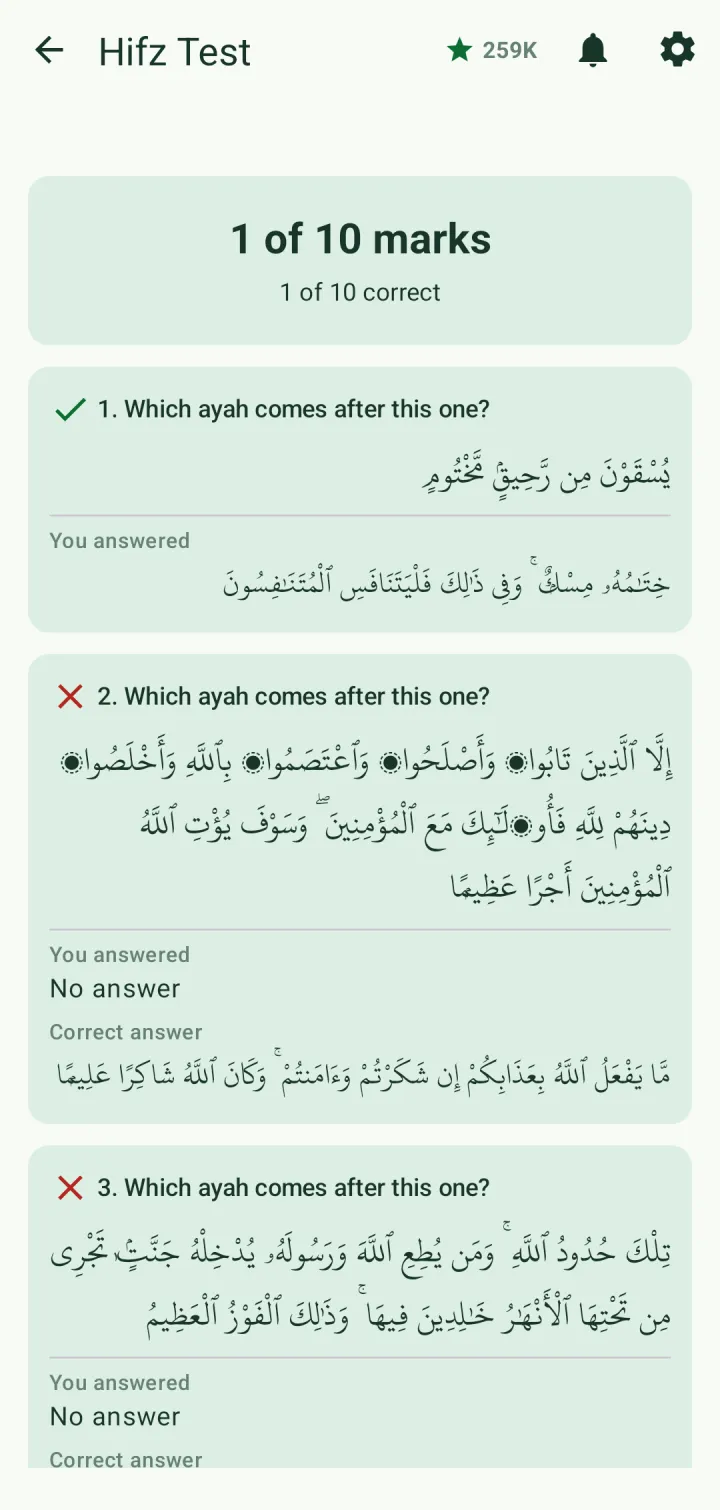

Track your hifz and take a Hifz test
Mark what you have memorized, follow your progress by ayah, page, juz and surah, and test yourself.
Mark what you have memorized
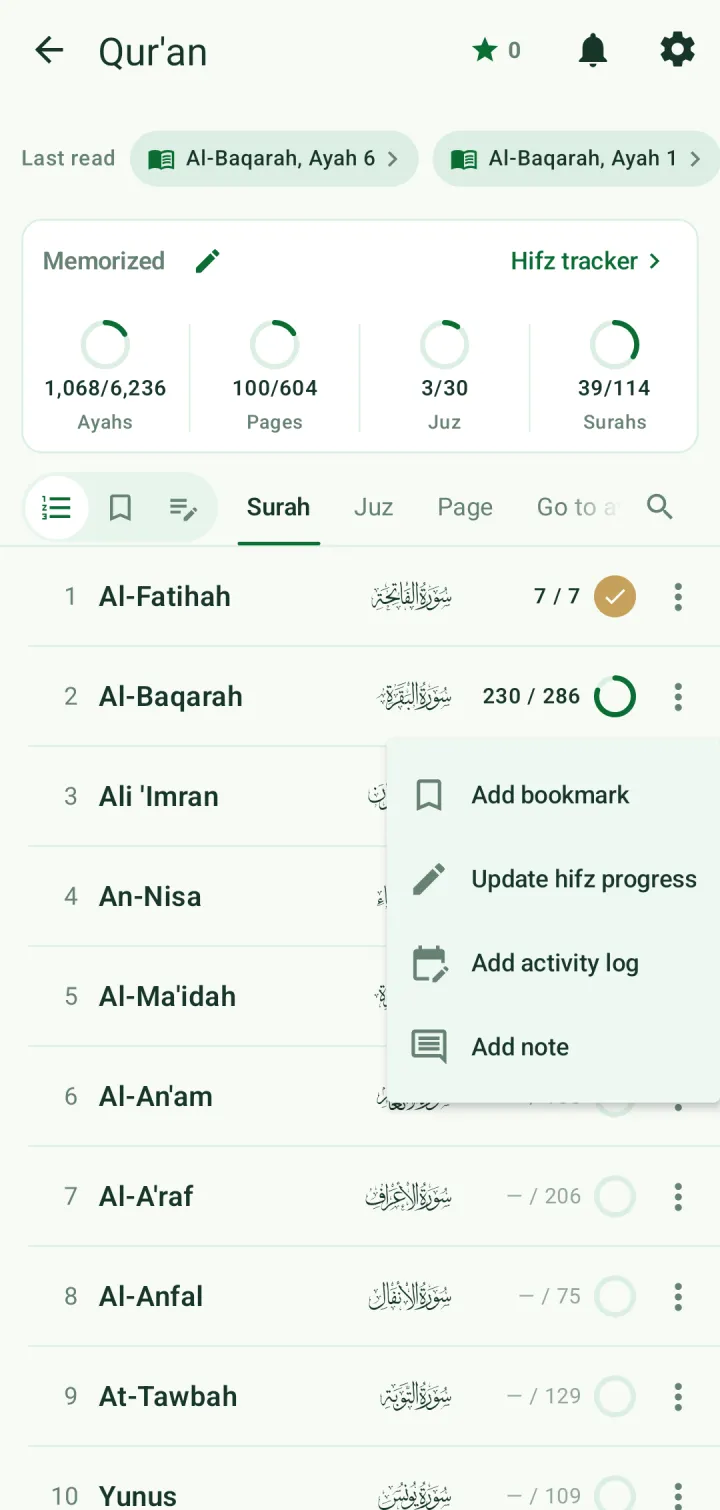
In the Qur'an index, tap ⋮ on a surah, juz or page and choose Update hifz progress. Or tap the pencil beside Memorized at the top of the index.
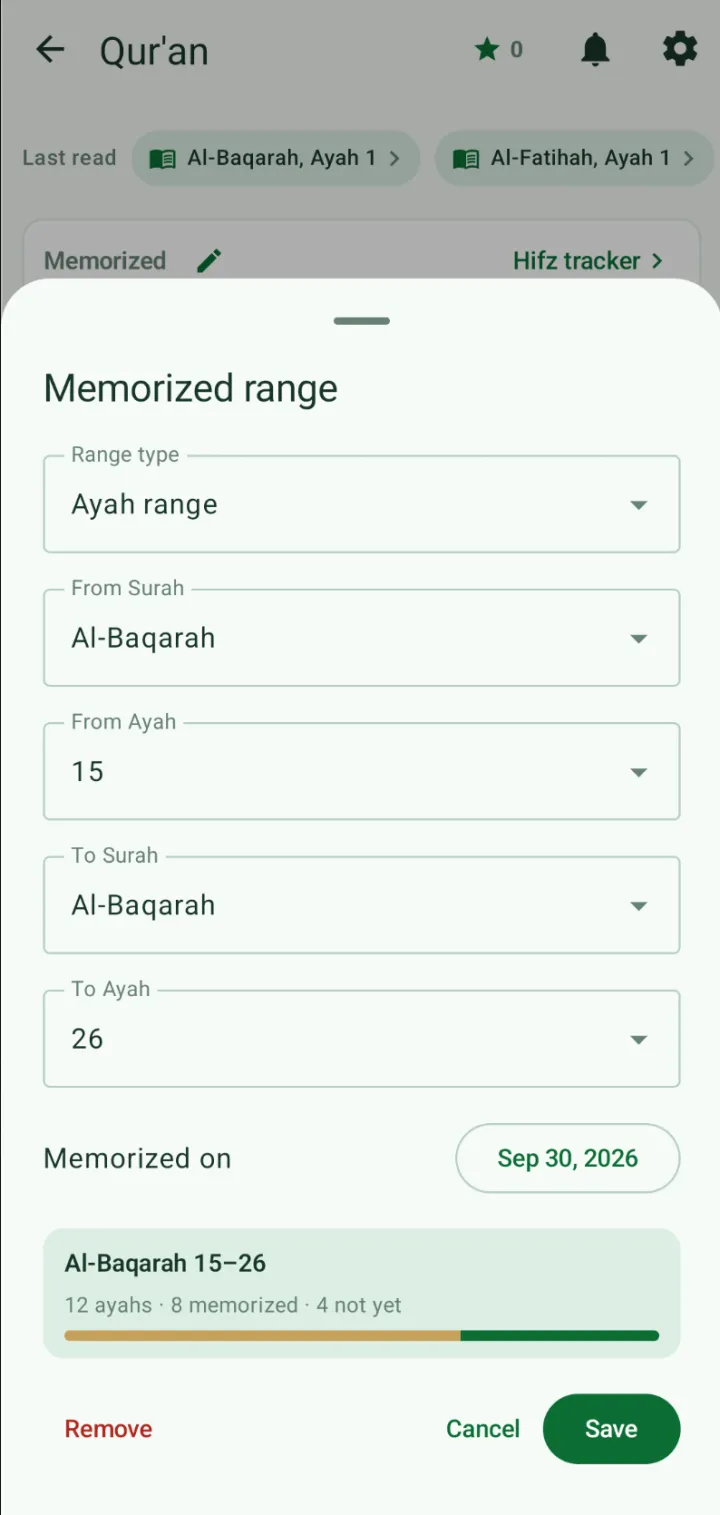
Choose the range type, then the start and end surah and ayah, and the date you memorized it. The card at the bottom shows how much of the range is already memorized. Tap Save.
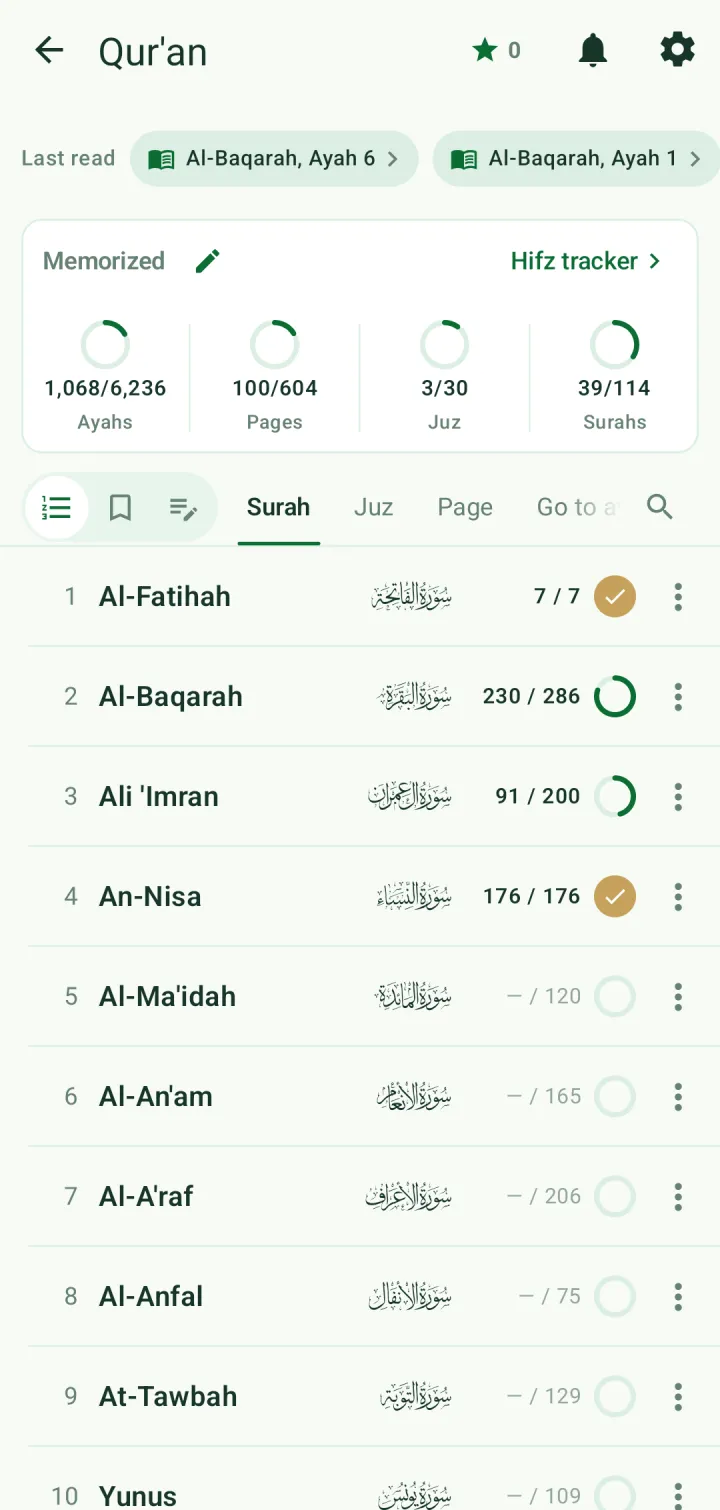
A surah, juz or page that is fully memorized gets a tick in the index, and the summary at the top counts ayahs, pages, juz and surahs.
The Hifz Tracker
Open Hifz tracker from the Qur'an index, or the Hifz Tracker card on the home screen. The Memorized tab shows how much of the Qur'an you hold, surah by surah, with Add memorized range at the top.
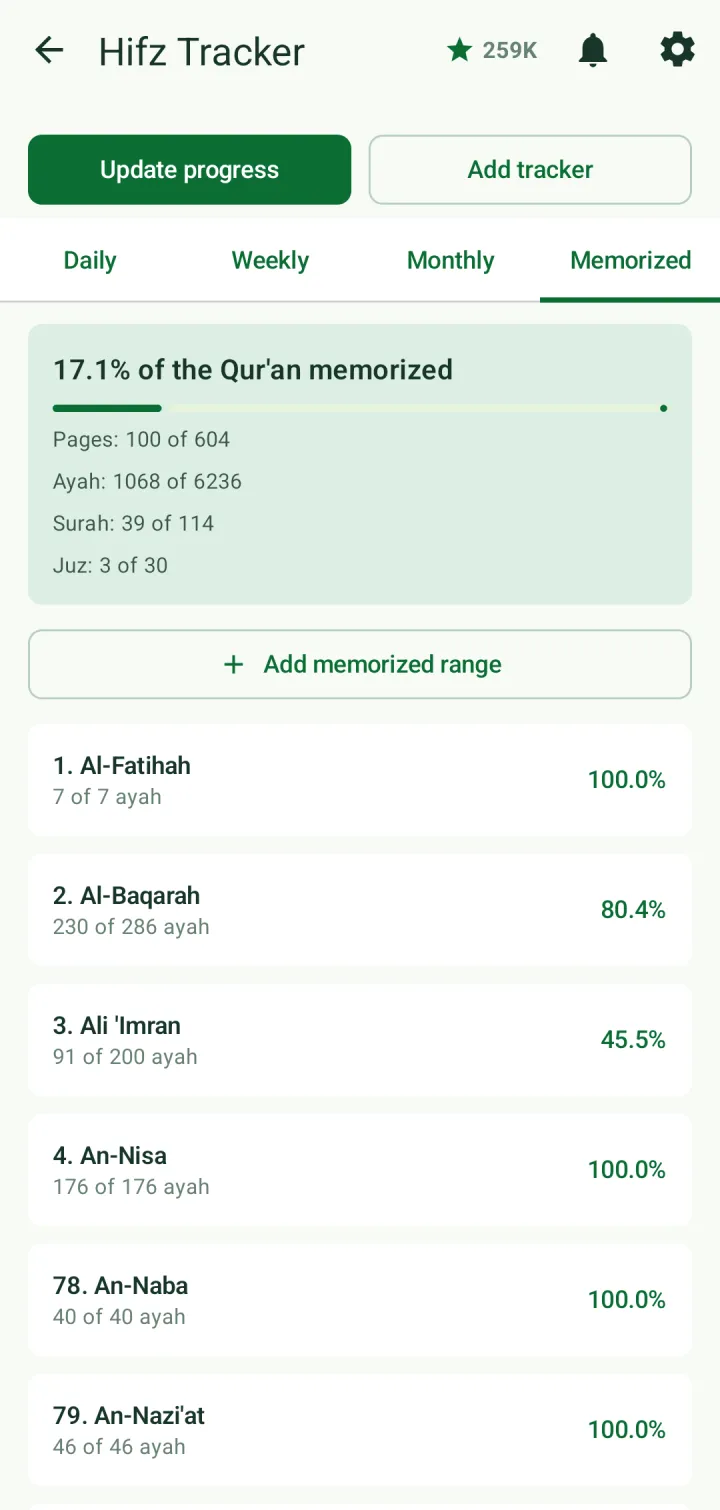
The Daily, Weekly and Monthly tabs measure memorization and revision against page goals. Tap Add tracker to set daily, weekly and monthly goals in pages (parts of a page are allowed), and Update progress to record what you did.
The Revision Tracker card on the home screen opens the same screen for revision, so you can follow how many pages you revise each day, week and month.
Take a Hifz test
Tap Hifz Test in Quick access. Under What to test on, choose Surahs, Ayah range, Page range, Juz range or All memorized.
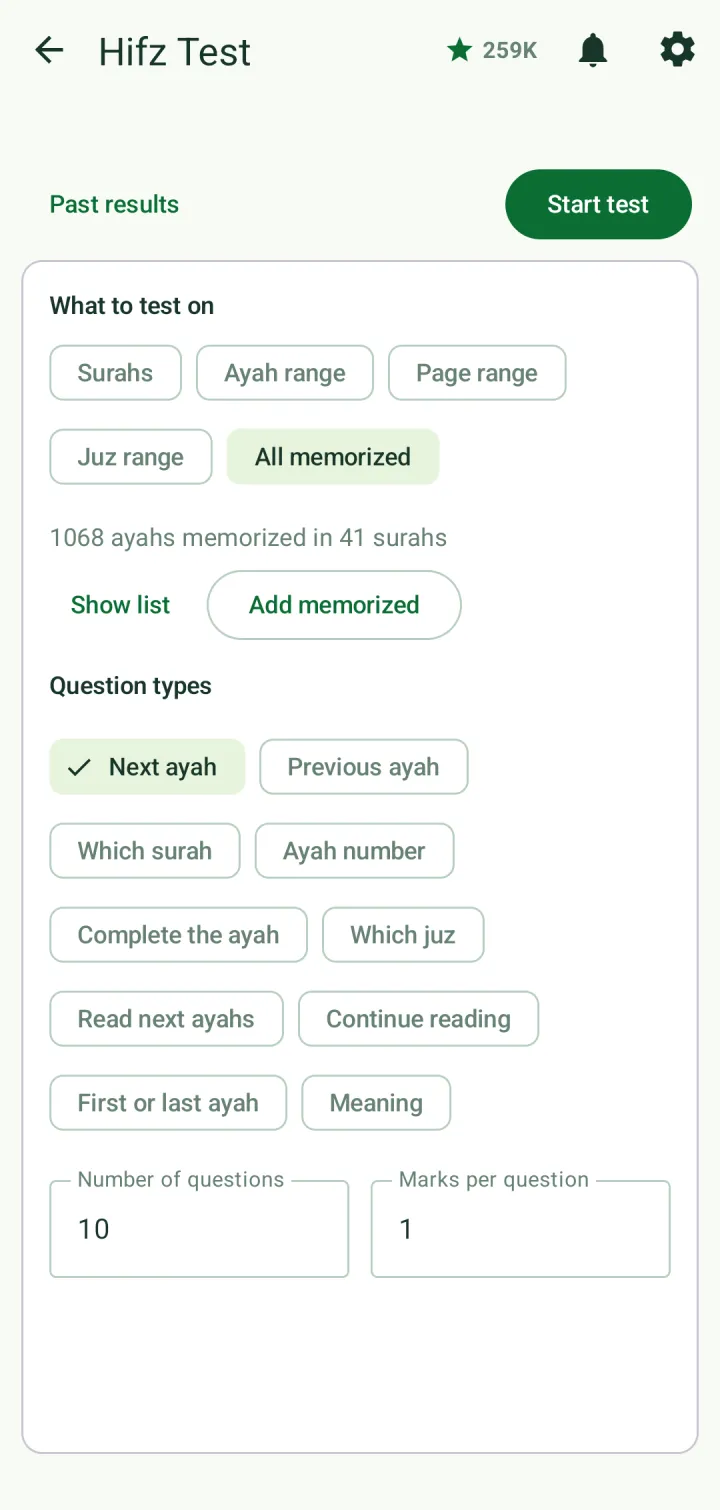
Choose the question types — next ayah, previous ayah, which surah, ayah number, complete the ayah, which juz, read next ayahs, continue reading, first or last ayah, or meaning — and set the number of questions and marks per question.
Tap Start test. Answer each question by reciting with the microphone button or by typing, or tap Show options to choose from a list. Then tap Submit.
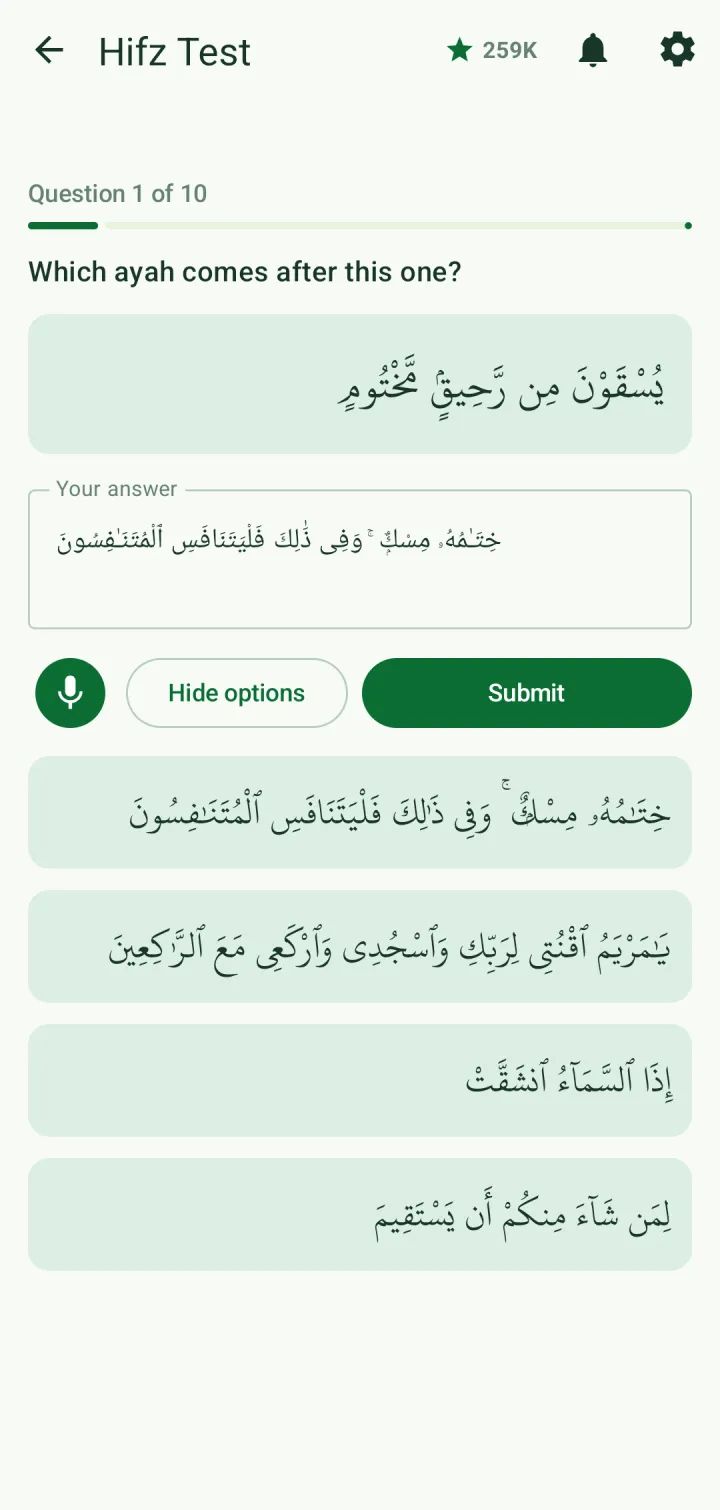
The result shows your marks, and for every question your answer next to the correct one. Every test is kept under Past results.